1. Choose
Pick a theme, cursor or effect. The preview on the right refreshes the moment you choose.
Change your Minecraft server site's colors, cursor and effects from the admin panel. See it in live preview and publish with one click when you like it.
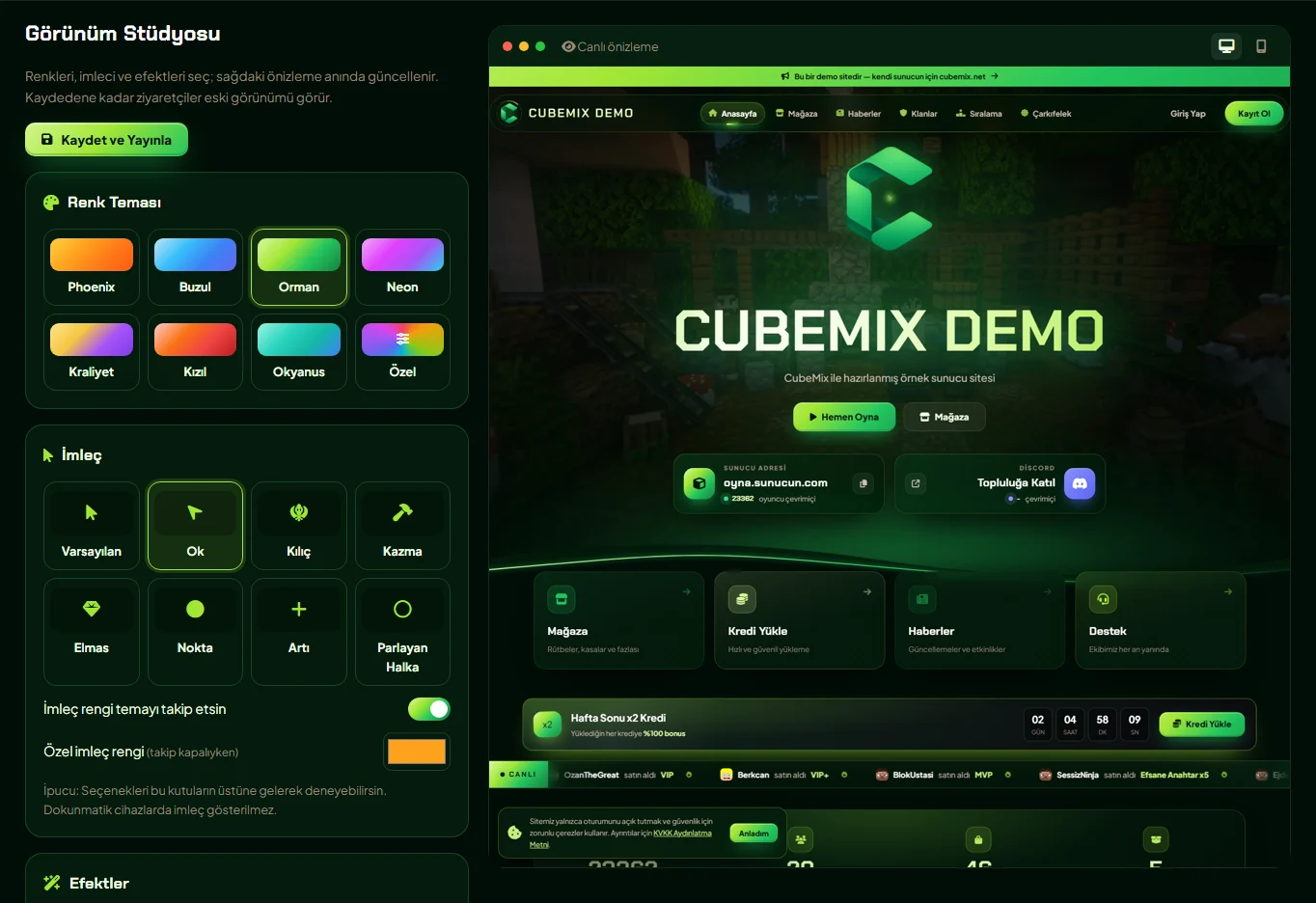
Every choice you make in the Appearance Studio is visible only to you at first. This way you don't have to experiment on your live site.
Pick a theme, cursor or effect. The preview on the right refreshes the moment you choose.
Switch between desktop and mobile views and see how it looks on every screen.
When you press “Save & Publish”, the new look goes live for all visitors instantly.
The same site, two different themes. Backgrounds, buttons, badges and the logo all adapt to the color you choose.
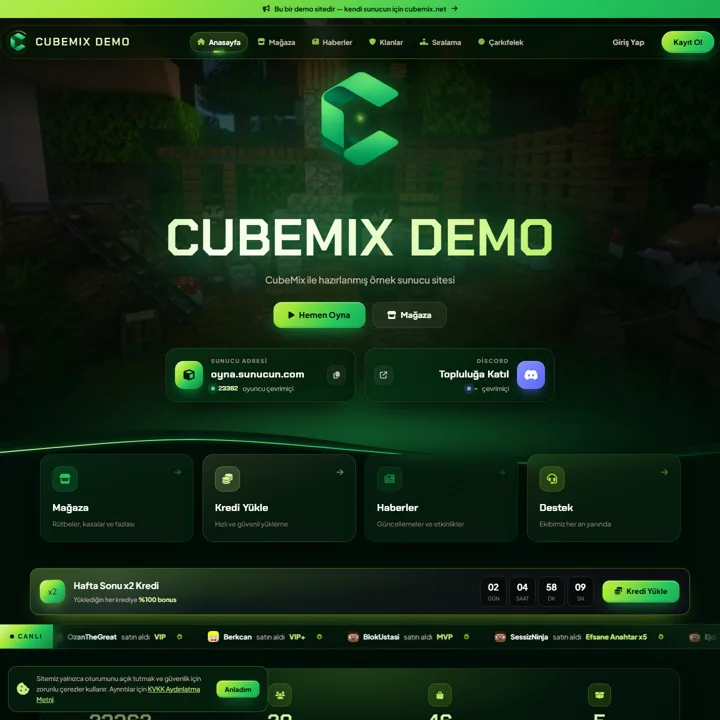
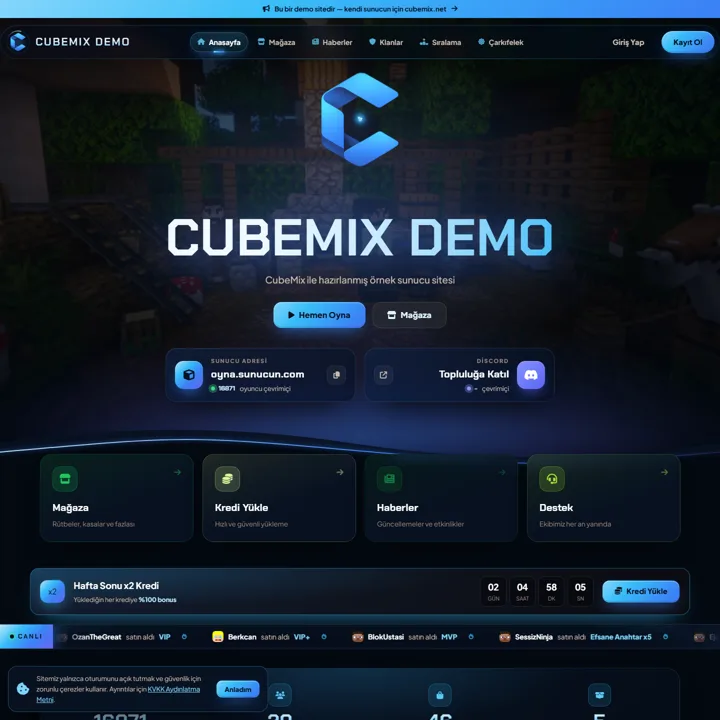
A Minecraft server's website is the player's first point of contact with the server. Colors, a logo and small details that reflect the server's identity build player trust and directly affect store sales. CubeMix Appearance Studio, lets you do this customization from the admin panel without editing code, CSS or theme files.
There are seven ready color themes: Phoenix, Glacier, Forest, Neon, Royal, Crimson and Ocean. If none fits your server's identity, choose Custom to set the four main colors yourself. The system automatically generates background tones, button gradients, glow effects and the logo tint from them, so the colors always stay in harmony. The admin panel also takes on the same theme as your site.
Minecraft-themed cursors such as a sword, pickaxe, diamond, arrow, dot, plus and glowing ring give your site a game feel. The cursor color follows the theme by default, or you can pick a fixed color. Spark density, mouse trail, click effects and glow strength are adjusted separately and can be turned off completely for low-performance devices.
Besides the look, the content layout is in your hands too: the live purchase ticker, top supporters, supporter of the month, recent purchases, most active players, the Discord card and other sections can be turned on or off from Site Settings with a single click.
All appearance settings are applied server-side; page speed, heading structure and search engine compatibility stay unchanged. Preview links are closed to search engines, so the themes you try never create duplicate content on Google.
No. Changes in the Appearance Studio are first visible only in your live preview. They go live for all visitors when you press “Save & Publish”.
Yes. Upload your own logo under Site Settings → Logo & Images. If you've uploaded your own logo, the theme color doesn't touch it.
Cursors aren't shown on touch devices; effects are automatically lightened based on device performance. You can check by switching to the mobile view in the preview.
Yes. In the theme store you'll find extra themes with different layouts. Every theme works with the Appearance Studio, and you still choose the colors.
It's included in the Starter, Pro and Network plans. You can try it free for the first month.
First month ₺0 on every plan. Set up, try it and test with your players. If you don't like it, you pay nothing.
First month ₺0 on every plan. Set up, try it and test with your players. If you don't like it, you pay nothing.